

82
/ 100
SEO score
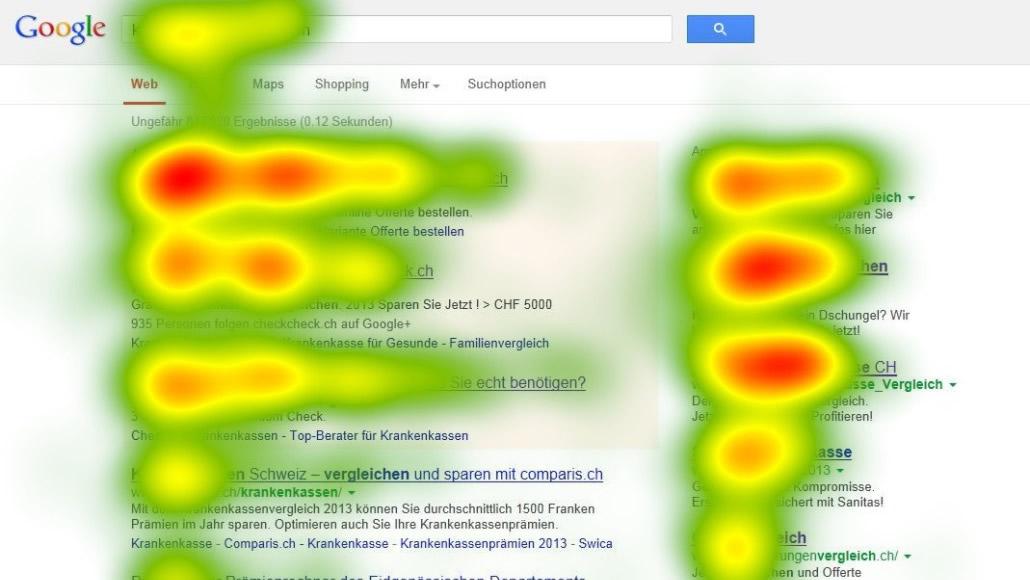
A heatmap is a graphic layer that shows specific areas of a website in different colours based on rules such as the number of clicks, or the areas the mouse passes over most often.
With this tool, the goal of having a heatmap on your site is to get the information you need from users based on how they navigate it. With it you can improve aspects of the site, check the visibility of certain elements, or evaluate the improvements implemented, as well as the impact of advertising.
The heatmap concept comes from “eye tracking”, used to detect where a consumer’s gaze rests when looking at a text or image.
Heatmaps are not perfect and have some drawbacks, such as needing a large data sample to find viewing and scrolling patterns, since on a site with few visits they could give us disconnected and meaningless data.
Types of heatmaps
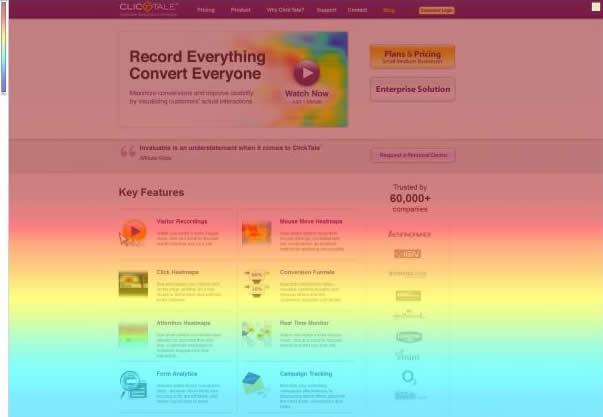
- Scroll heatmap:useful for long pages or landing pages, they basically show where your users stop reading,
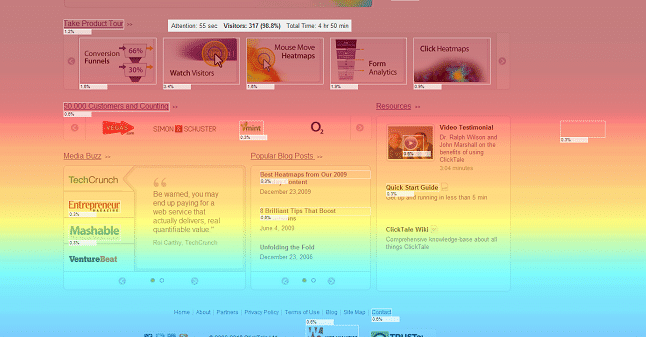
- Click heatmap:highlights the areas of the site where users click most often because the elements there catch their attention… or because they misread one of them, wrongly thinking it is “clickable”: in that case we would be facing a clear usability error.
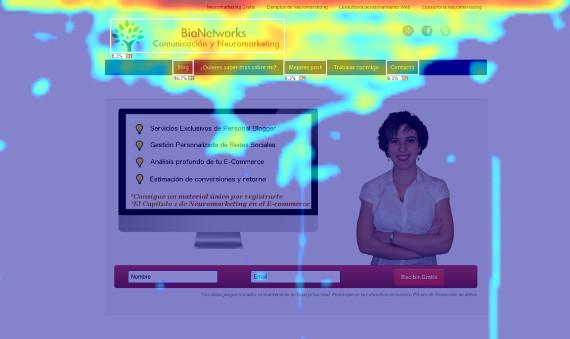
- Mouse movement heatmap:shows us the areas the mouse passes over, highlighting those where it spends the most time. The usefulness of this option comes from the fact that there is an 88% correlation between mouse movement and eye movement.
Analysis

Analysing the data generated goes beyond a simple web traffic report. Heatmaps are not a simple statistics counter: they tell you exactly where the user clicks when navigating the site. Unlike a simple website visitor counter, which only tells you the number of visitors who showed a certain behaviour, such as using your website for the set goal or what interests them, heatmaps can create custom analyses through a better understanding of your visitors’ clicks and movements, presented visually.
After carrying out all the analysis, the next step is to take some action, such as:
- Remove the areas of the site with a low number of clicks: the reason may be that users do not find the information useful and so it may be nothing more than a distraction.
Tip: Remove this kind of element, or replace it with something more useful and follow these new elements closely to see whether they work.
- Identify clicks in the wrong places:With heatmaps, it is easy to notice click patterns. If you detect that users click on areas that have no links, users may be confusing them.
Tip: Move the element or redo it so it is not confusing, or remove it from the site.
- Look at the areas that are getting a lot of attention: These areas are the part of your website where you should put in more effort.
Tip: Polish the existing content and add more information or high-quality content to these pages to optimize conversion.
- Consider the areas just below the end of the content:See whether visitors move somewhere else after finishing the content. If they do not click anywhere else on the site, it means they do not know what to do on the site, and that cannot be.
Tip: Detect this problem and turn it into an opportunity to offer the user something new and attractive.
Tool
If you want to make heatmaps of your website, the most complete and widely used tool is CrazyEgg, a very complete web analytics tool that also lets you run A/B tests. The drawback is that it is only free for one month, after which it costs 9 US dollars a month.